3DDashboard
08 November 2019
1. 3DDashboard
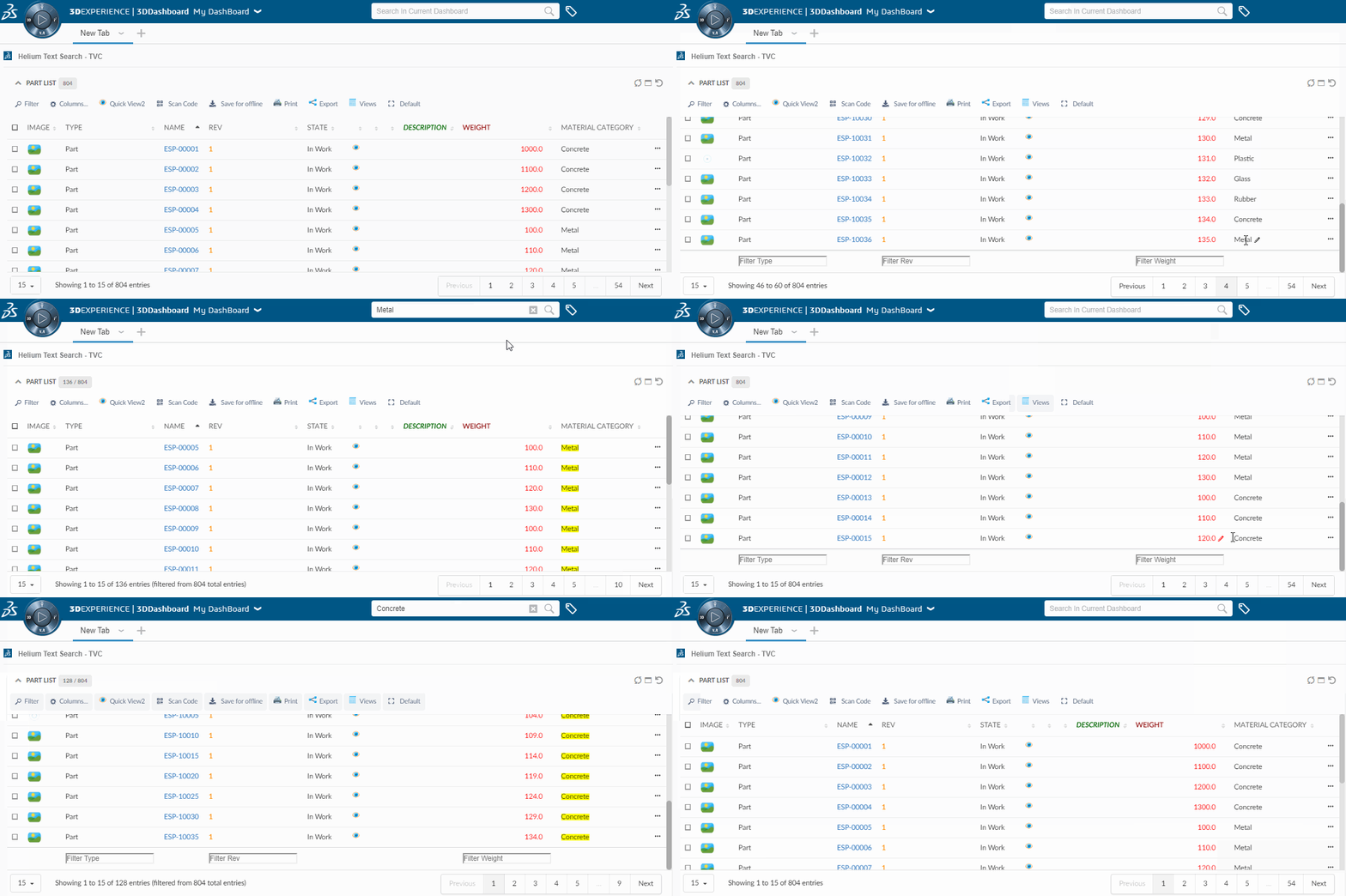
Helium widgets embedded in 3DDashboard, will now be targeted by 3DEXPERIENCE "Search in Current Dashboard".
i.e If we have widgets with table data then we can filter the data in all tables using Search in current dashboard.
Figure 1. Highlights Search result in 3DDashboard
1.1. Support for 6WTags
Once table data is loaded in a widget all visible columns get added into preferences.
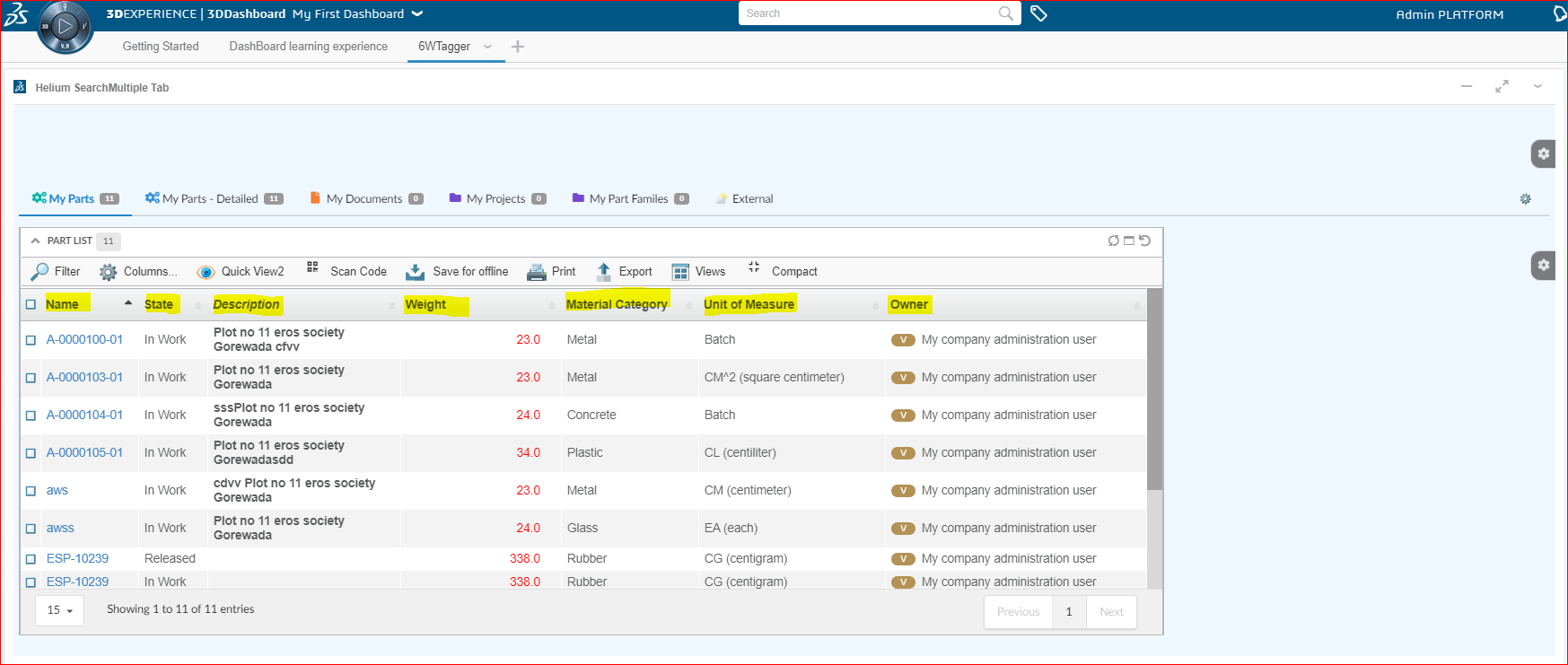
Figure 2. Visible Columns
User can select the column and its category from preferences which needs to be shown under 6WTags.
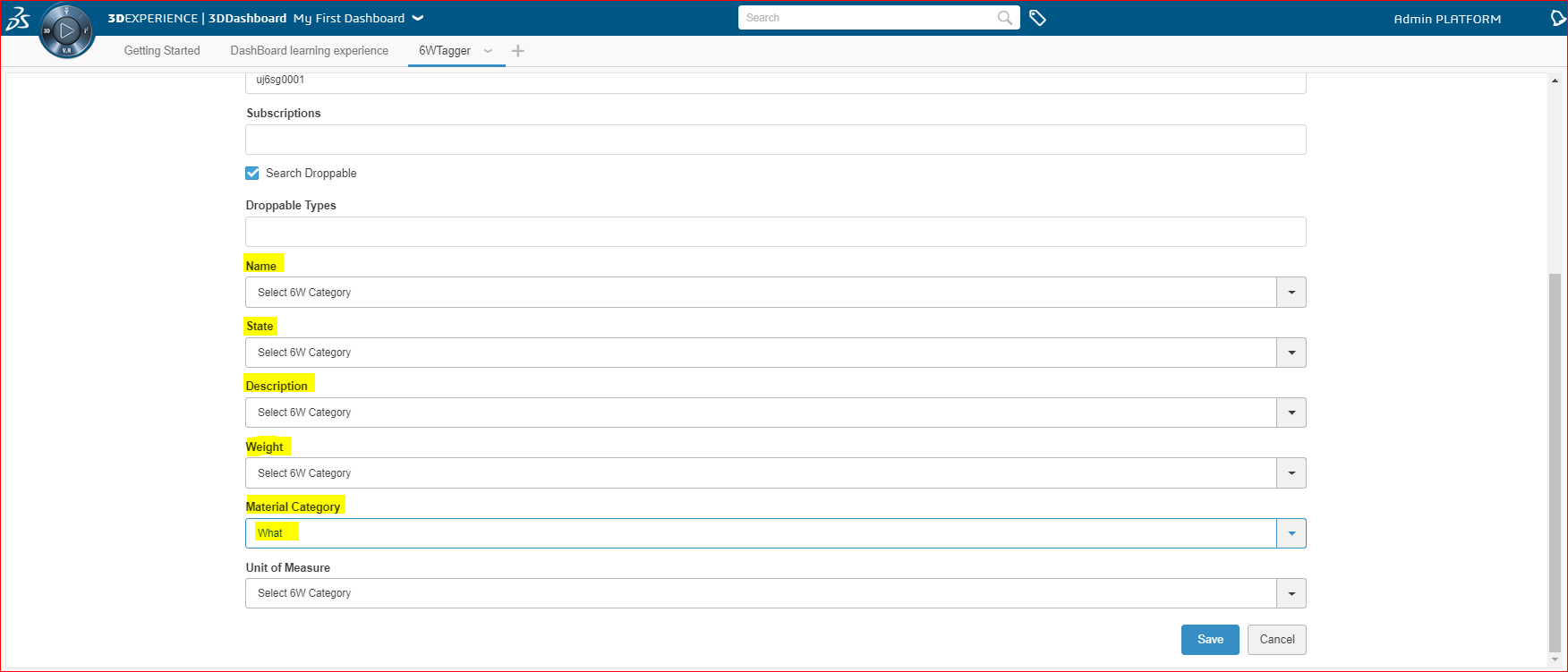
Figure 3. Selected Column Preferences
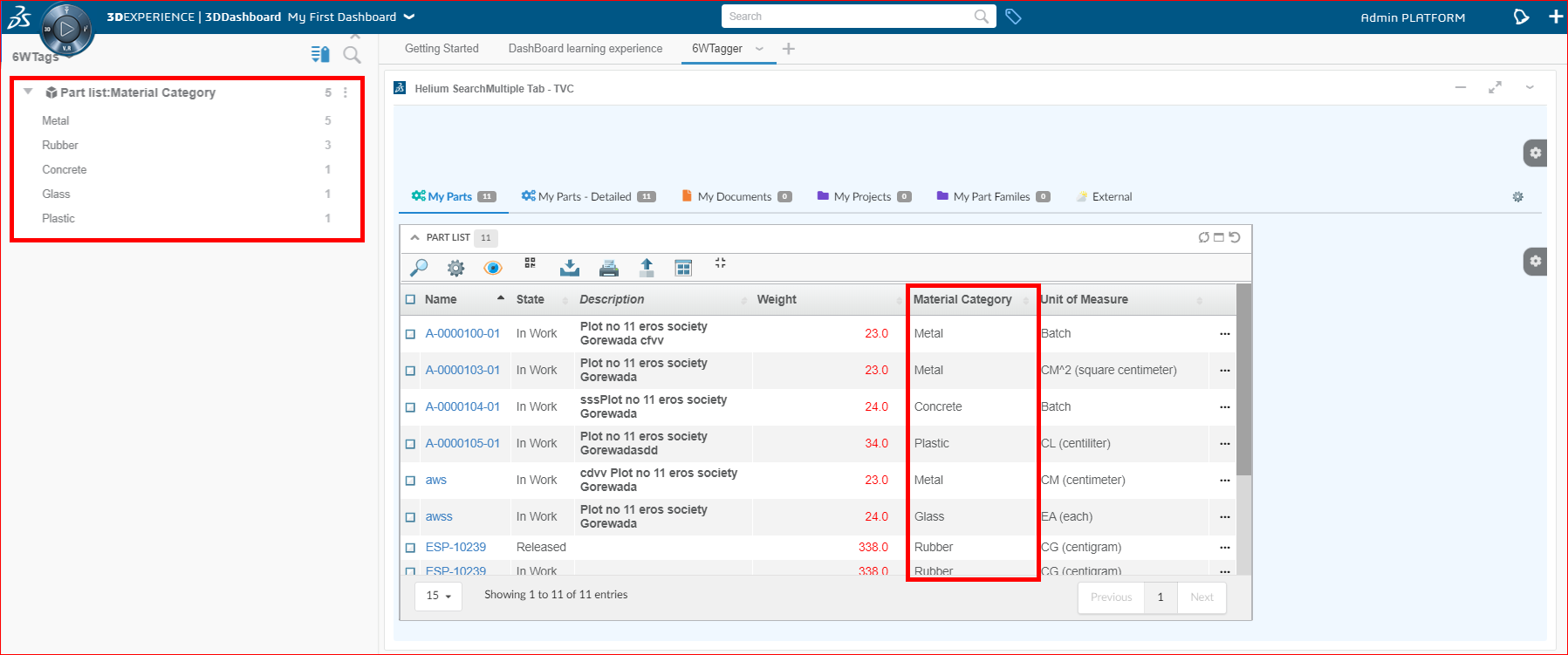
Figure 4. 6W Tags Creation
Table data in the widgets can now be filtered on the basis of selected tags.
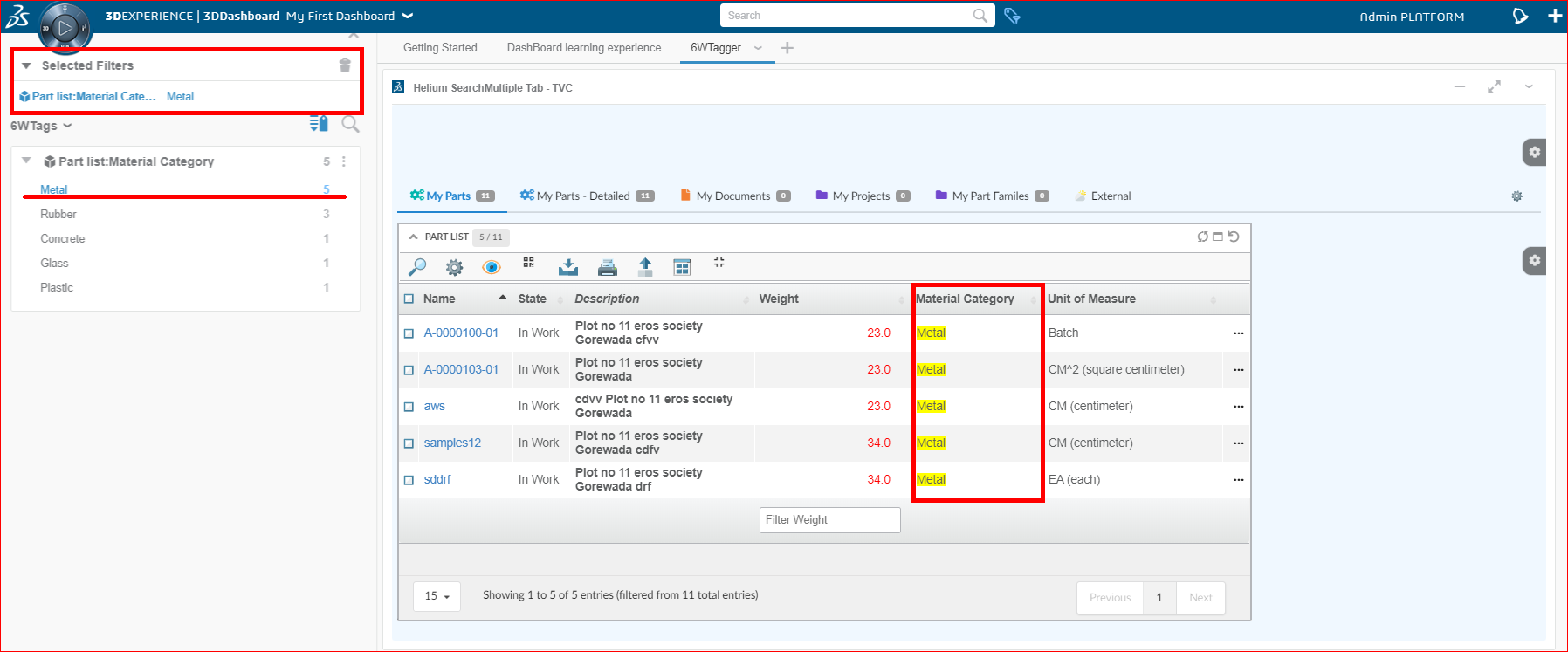
Figure 5. Filtered Data using 6WTags
1.2. Support for creating 6WTags from multiple widgets
When the user has multiple widgets within a tab, the user can choose a widget from the preferences menu and respective columns of the chosen widget will be displayed in the preferences.
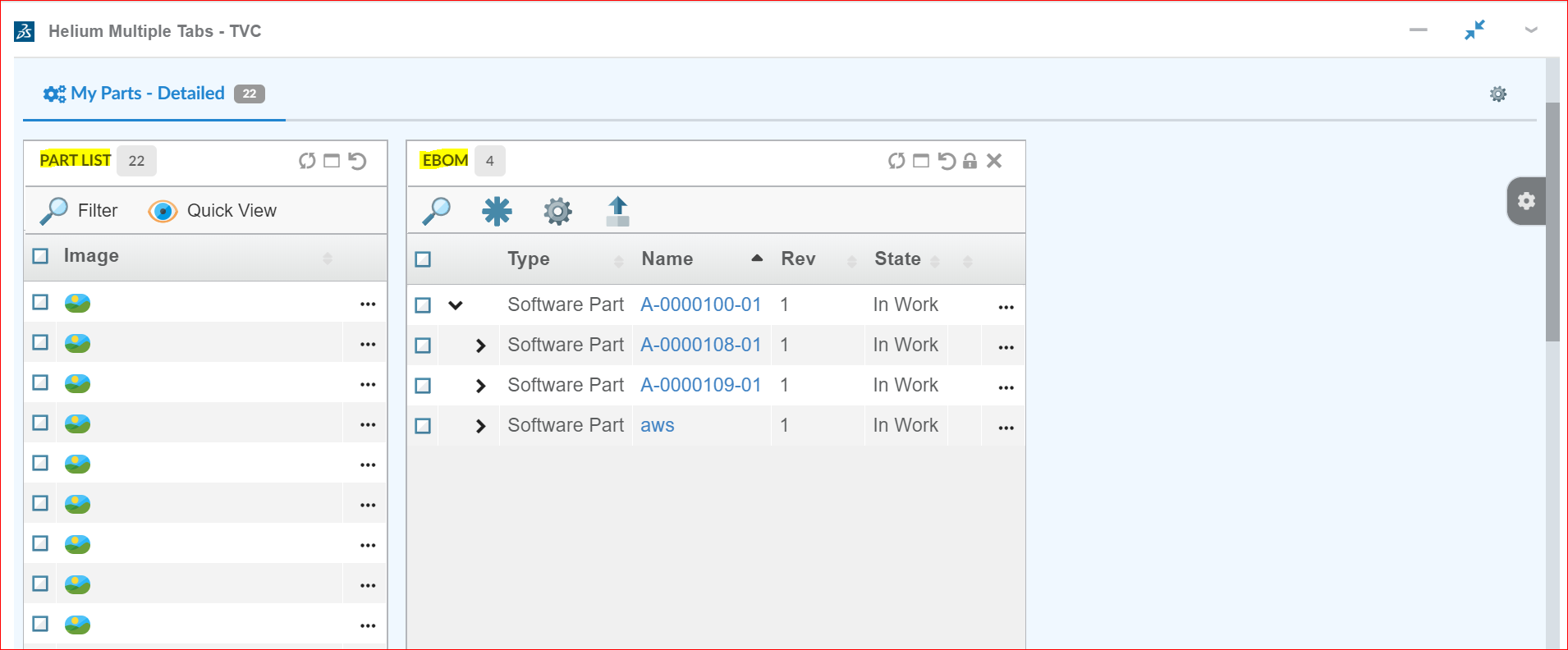
Figure 6. Multiple widgets within Tab
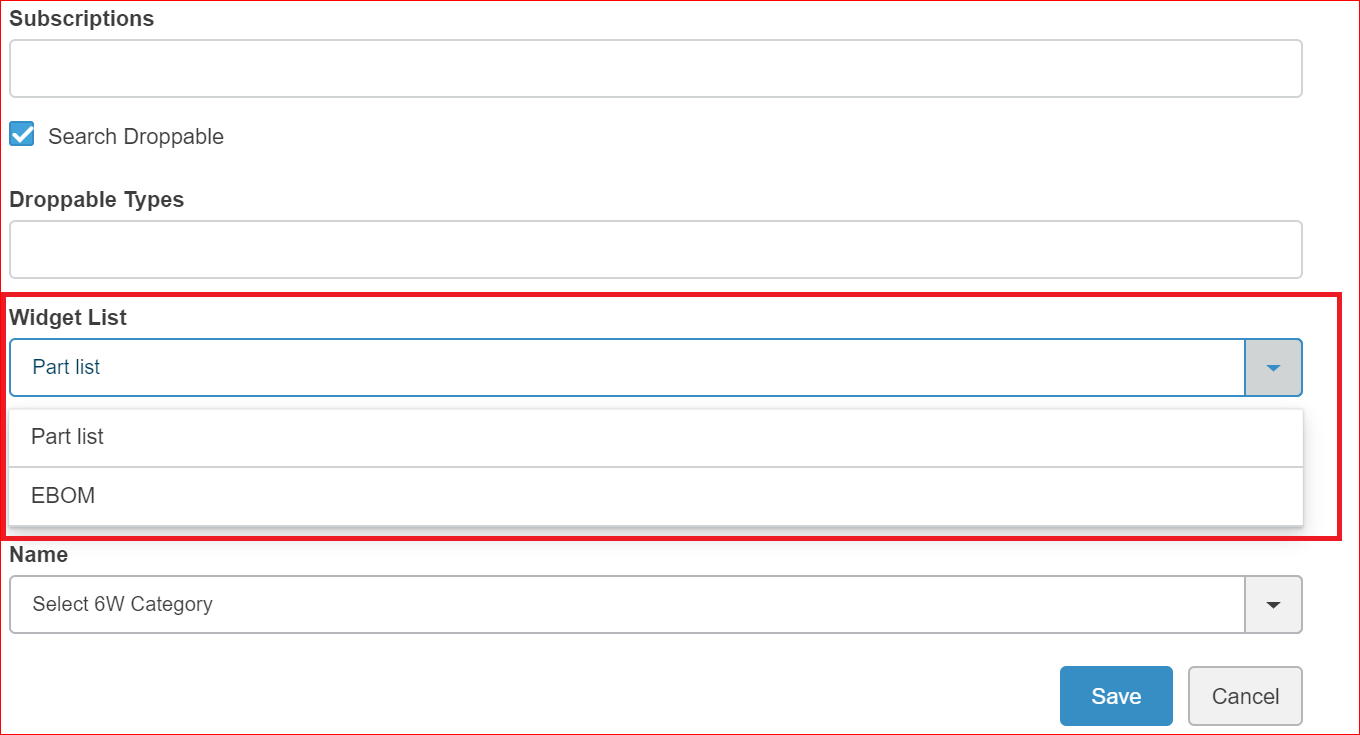
Figure 7. Widget option in preferences
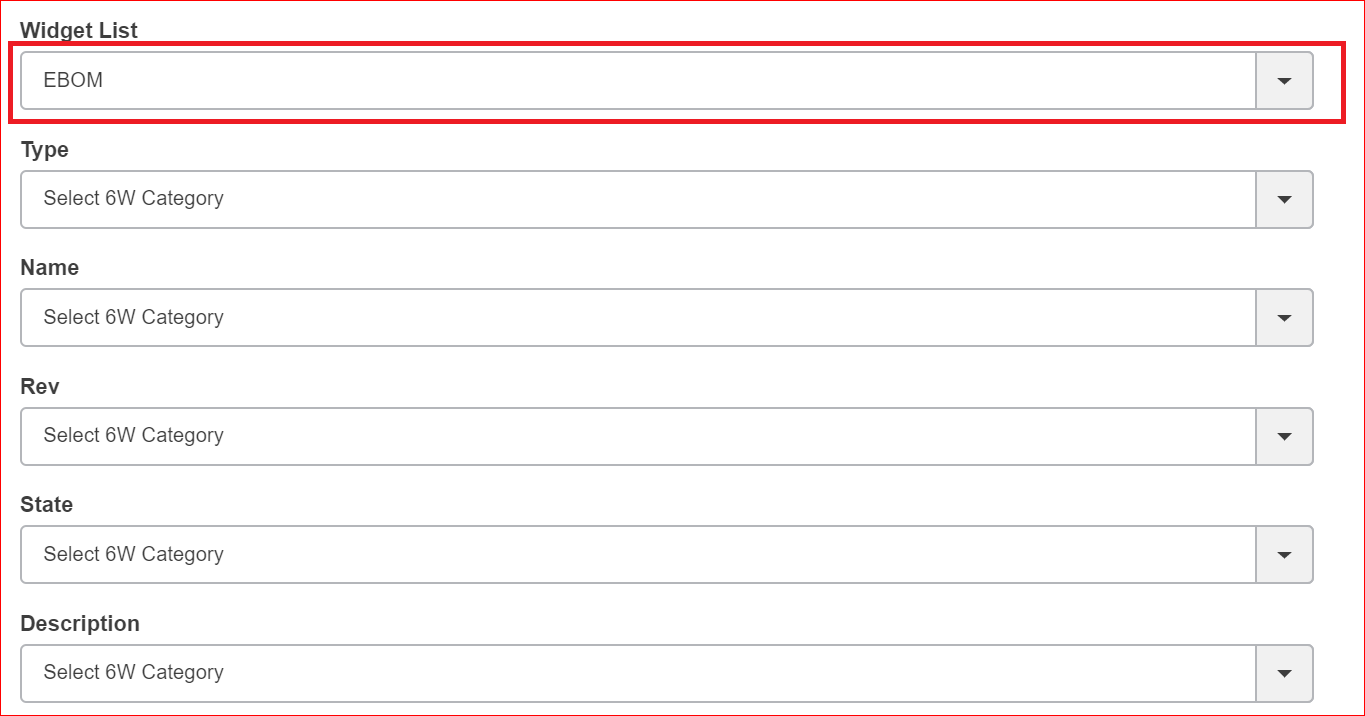
Figure 8. Respective columns on widget selctions
On the selection of the column, the column name & data will be added to 6wTags for Tag creation.Table data in the widgets can now be filtered on the basis of selected tags.
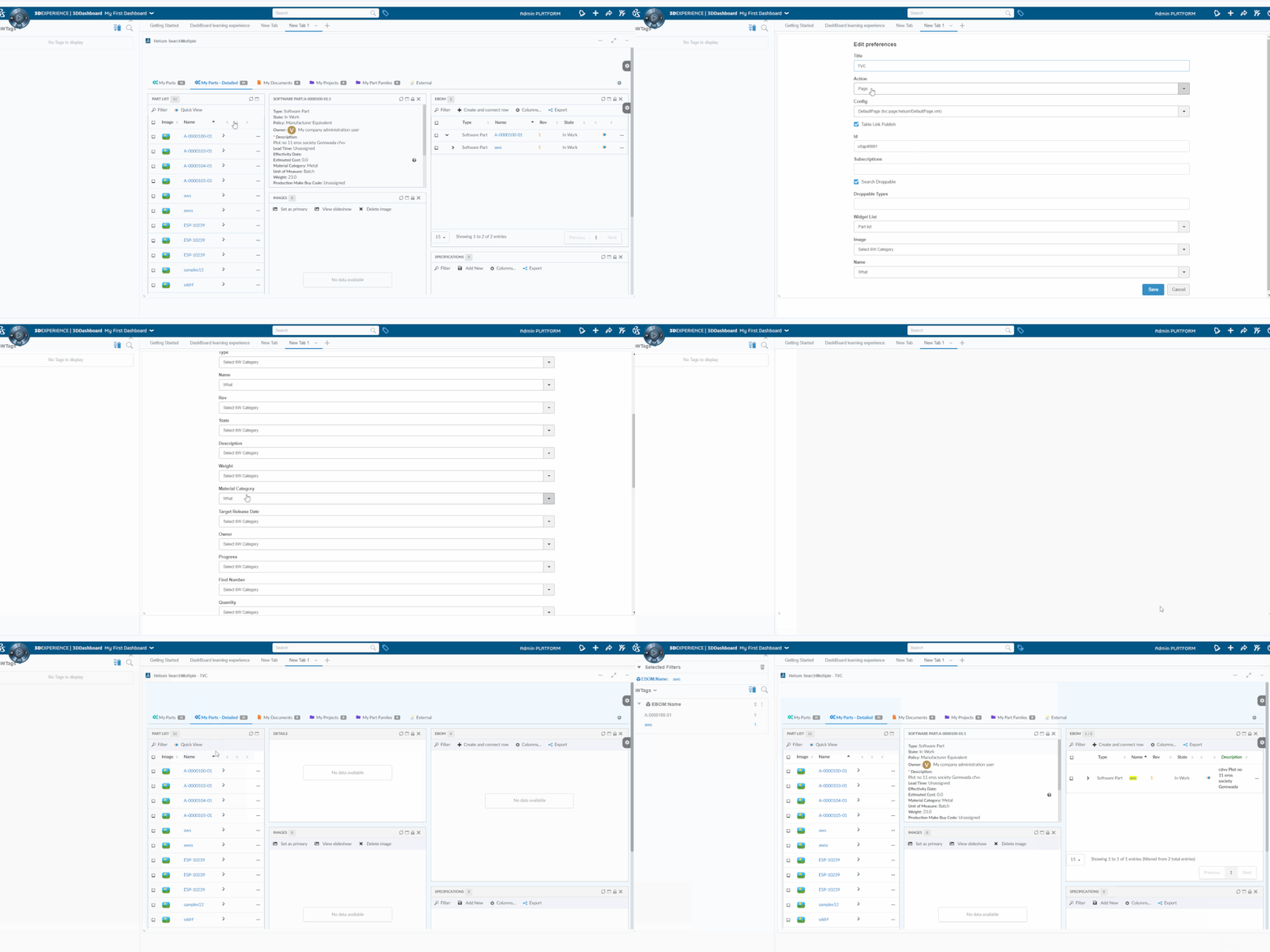
Figure 9. Support for multiple widget 6WTags